A download gate that turns free downloads into fans
Give fans a track, an edit or a sample pack in exchange for their email, send them to your profiles on the way, and keep every address in a fan list you can export.
Download gates are included in Starter and every higher artist plan.
What is a download gate?
A download gate is a page that gives away a file, but asks for something small first. For musicians that usually means an email address, and often a visit to a Spotify, SoundCloud or Instagram profile. The fan gets the music; you get a way to reach that person again when the next release is out.
DJs use gates for edits and bootlegs, producers for sample packs and stems, and bands for demos, live recordings and early versions of a single. The point is not the single download. It is the fan list you build one release at a time.
Three steps from file to fan list
Upload the reward
A new track, a DJ edit, stems, a sample pack or a free download version of your release. Use a file you have the rights to share and name it clearly.
Choose what fans do
Ask for an email address, send fans to your profiles on streaming and social platforms for a few seconds, and add an optional link to support you. Require every step or let fans pick one.
Share one link
Put the gate link in your bio, your posts, your SoundCloud description or a DM. When the steps are done, the download unlocks and the email lands in your fan list.
Built for releases, not just files
An email step that is really enforced
The file is only handed over after the email address reaches our server, so a gate with an email step is a real gate, not a polite request.
The file stays hidden
The download link is never written into the page. It is returned only after the steps are complete, so viewing the page source does not give the file away.
A fan list with consent records
Every email a gate collects goes into your fan list with the consent text the fan agreed to. Export it as CSV whenever you need it.
Opening dates, closing dates and caps
Schedule when a gate opens and closes, or stop it after a set number of unlocks for a limited release.
Your look, your links
Dark, light or custom colours, your cover art, a background photo and a row of your social icons, so the gate looks like part of your release.
Numbers you can act on
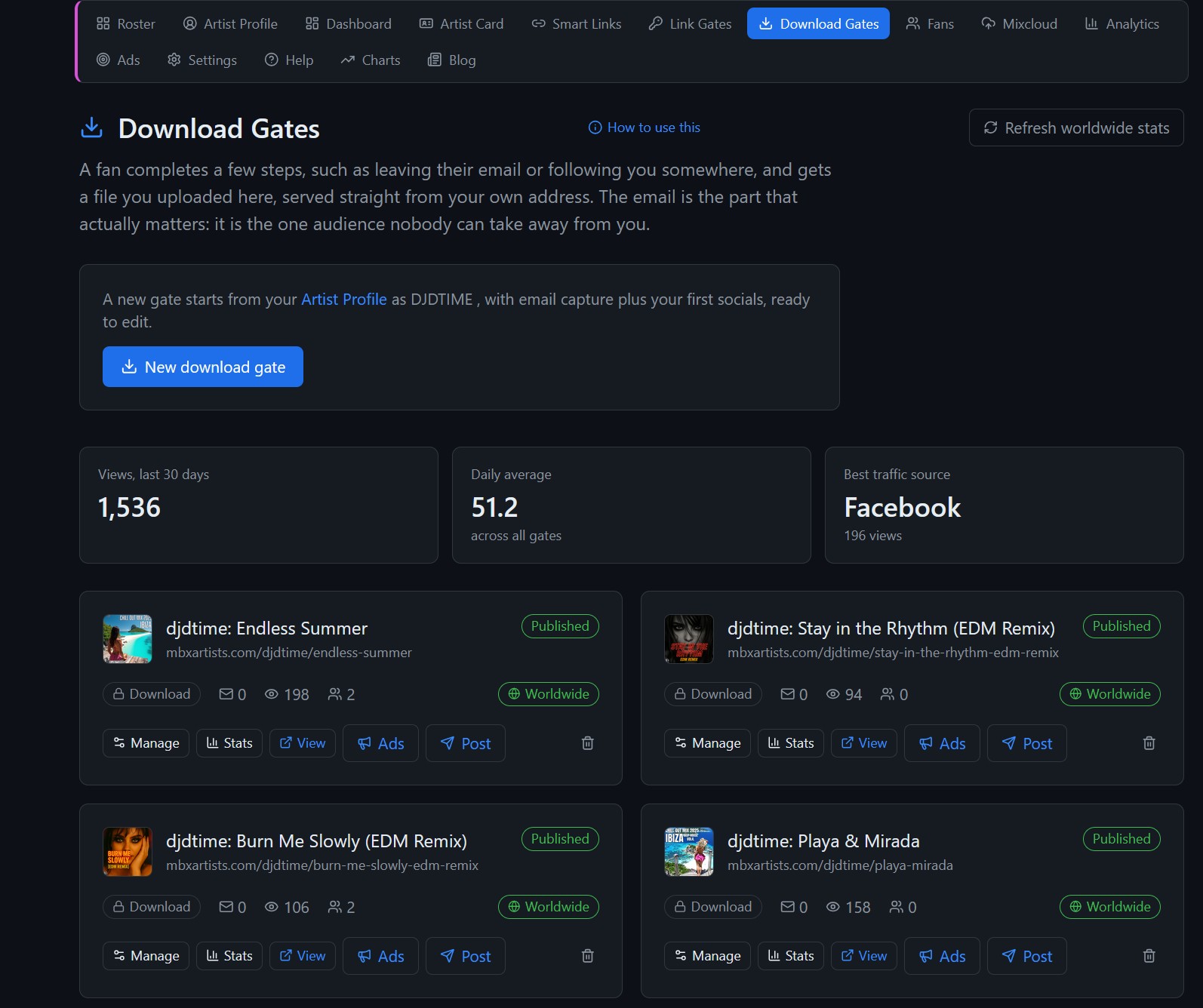
See views, unlocks, traffic sources and a visitor map for each gate, so you know which post or channel actually brought people in.
Straight answer: visit steps open your profile and run a short timer, but no gate can prove that someone actually followed you. The email step is the one we enforce, so make it required when the fan list is what you are after.
See every gate and every fan


Download gate FAQ
What is a download gate?
A download gate is a page that gives fans a free file, such as a track, edit or sample pack, in exchange for a small action: usually their email address, and often a visit to your profiles. Artists use them to turn a free download into a way to reach those fans again.
Is the MBX Artists download gate free?
Download gates are included in the Starter plan and every higher artist plan, together with smart links, your fan list and MBX Flow social publishing. See the pricing page for current plans.
Can a download gate check that someone followed me?
Not here. Visit steps open your profile and wait a few seconds, but they cannot confirm a follow happened. The email step is the one that is enforced. If you need a guaranteed result, make the email step required.
Where do the emails go?
Into your fan list in MBX Artists, each one with the consent text the fan agreed to. You can export the list as CSV and plan a follow-up message for your next release.
How does it compare with Hypeddit or ToneDen?
MBX Artists puts download gates, smart links and your fan list next to MBX Flow social publishing, so the gate and the posts that promote it live in one place. The comparison pages go through the differences in detail.
Your next download can bring fans back.
Set up a gate for your next track and keep every email that comes with it.
Create your account or sign in, then choose a plan with download gates.
