Your next show starts with your profile
Prepare your Artist Card so a promoter can understand your sound, hear your work and see your current activity. A practical checklist for your next booking pitch.

You send a promoter your profile link. What do they find: a clear introduction to your music, or a page that leaves them guessing? Before your next booking pitch, give your Artist Card in MBX Artists a review from the other side of the screen.
Write for someone choosing a lineup
Help the reader understand your style and what you bring to a show. Say whether you perform DJ sets, a live electronic show or another format. Add your base city to the bio if it helps explain where you work. Specific details are more useful here than a long list of adjectives.
Replace the generic bio with a useful introduction
Here is a fictional example to adapt to your own work:
Before: “DJ and producer. Music is my passion. Follow my journey.”
After: “[Artist name] is a house and melodic techno DJ based in [city]. Their sets move from warm grooves to late-night energy. Listen to [session or release] for a sample of the sound.”
Replace the brackets and the genres with your own details. Keep credits and past appearances factual. If you are early in your career, explain your sound and format clearly. A short, accurate introduction gives new readers a concrete starting point.
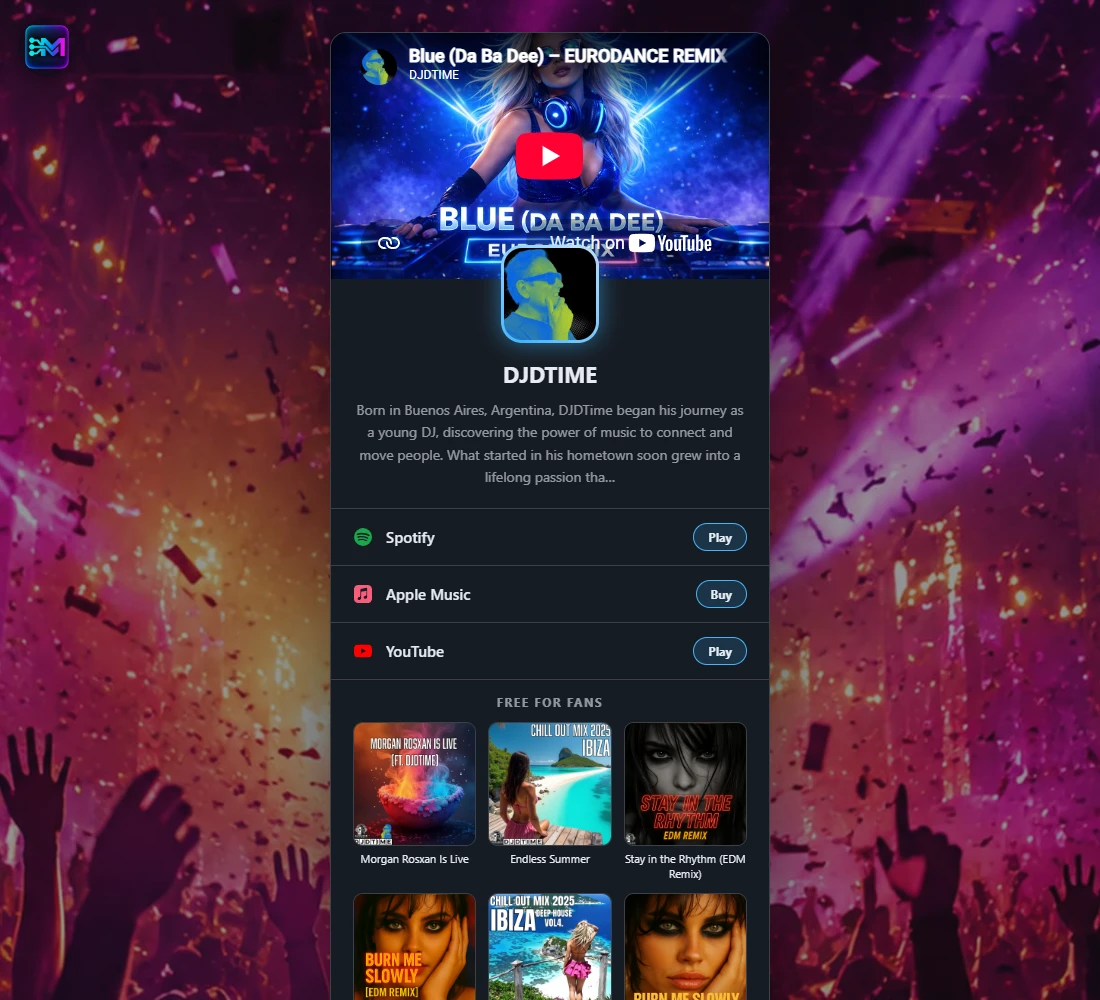
Use a photo that represents the artist
Choose a recent image with a recognisable face or clear project identity. Check both the profile photo and header on a phone. A strong portrait does not need tiny text or a poster full of dates. Use the same visual identity in the page and the message that introduces it.
Make the music easy to evaluate
Your Artist Card brings your platform links and releases together. Open the public page and check that each music button leads to your own artist profile. In your pitch, point out the specific session or release you want the promoter to hear first.
- Choose an example that represents the sound you are offering for this event.
- Describe a studio mix as a studio mix and a live recording as a live recording.
- Test links from a browser where you are not signed in to your editing account.
Keep your dates useful and accurate
Add confirmed shows with the correct venue, date and ticket link. Upcoming dates belong on the card; check them when your plans change. If your calendar is quiet, keep the focus on your music and proposal. Give the promoter an accurate picture of what you are currently offering.
Send the link with a reason to open it
The card introduces your project. Your message should explain why you are contacting this promoter and how your proposal fits the event. Keep a contact method in the message, and have availability and any requested technical information ready for a follow-up.
Message example: “Hi [name], I play [style and format] and I am getting in touch about [event]. My Artist Card is [link]; I suggest starting with [session or release] to hear the sound I am proposing. You can reach me at [booking contact] to discuss availability. Thanks, [artist name].”
Give the public page a phone check
- Can someone identify the artist, style and performance format from the opening?
- Do the photo and header still work on a small screen?
- Do the music and show links open the intended destinations?
- Is the information consistent with the proposal you are sending?
Make one update before the next pitch
Open your artist profile in MBX Artists, revise the bio and photo, and check your music links and confirmed dates. Publish or update the Artist Card from its editor, then reopen the public link. Before you send it, ask someone who does not know your project: can they explain what you play without asking you?
Pass a good idea along.
Send it to a DJ, a bandmate or an artist building their next release.