Promote your tracks and podcasts more easily with MBX Flow
Give listeners one clear destination, prepare a short teaser and publish from one place. A practical workflow for promoting a track or a new podcast episode.
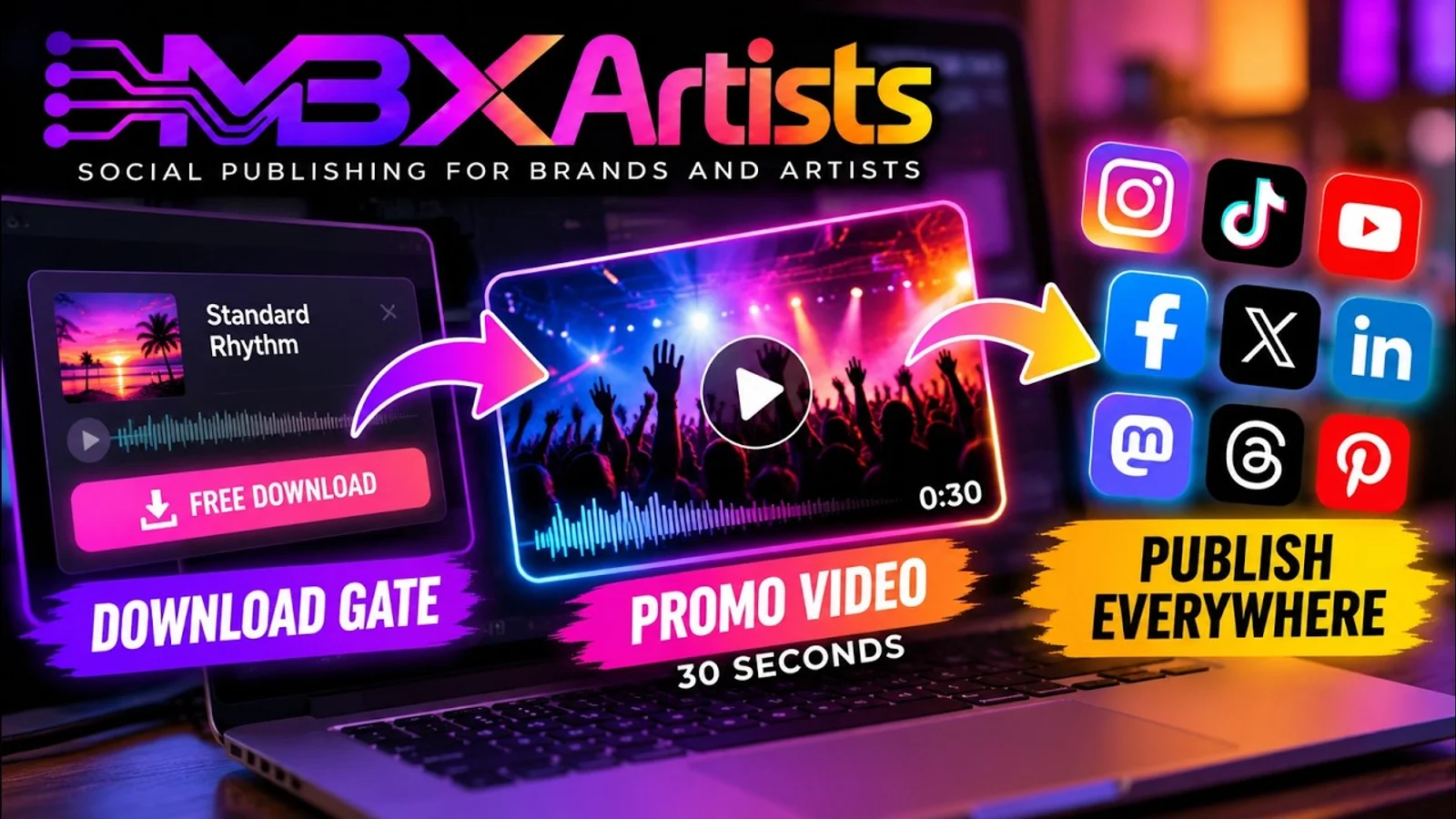
Finishing a track or recording an episode is a big job. Promoting it should not mean starting again in every social app. MBX Flow brings publishing into one workspace, while its MBX Artists tools connect the music page, promotional assets and audience activity. The useful goal is less repeated work and a clearer invitation to listen.
First, decide where listeners should go
For a track, a release page gives fans a destination with listening links. A Download Gate makes sense when you are offering a file in exchange for a step such as an email signup. For a podcast, start with the episode link or a page with listening options. You do not need to turn a public episode into a gated download just to promote it.
Use a short clip to give people a reason to listen
The video demonstrates the music workflow: turn an existing Download Gate into a 30-second promotional clip in MBX Artists, then download the clip or take it into the publishing workflow. It also shows post enhancement, hashtags, a first comment and account selection. These are the artist tools within the MBX Flow ecosystem.
- For a track, choose a recognisable moment and connect the announcement to the release or download page.
- For a podcast, prepare a short audio or video teaser that introduces a useful question or an interesting exchange. The tutorial demonstrates a music gate, not automatic podcast editing.
- Give the post one clear next step: listen to the track, open the episode or get the download.
Write a caption that adds context
A title alone rarely tells someone why they should stop scrolling. Explain the mood of the track or the question the episode answers. The demo shows tools for improving the post, generating hashtags and preparing a first comment. Use them as a starting point, then check names, links and wording before publishing.
Adapt the message to each destination rather than repeating a long description everywhere. Put the listening link where the platform supports it and keep the call to action easy to understand. A generated first comment is useful only on destinations that support that workflow.
Publish or schedule without rebuilding the post
- Connect the social accounts you want to use and choose the destinations that fit your audience.
- Prepare the clip, caption and listening link. Check the preview and media requirements for each selected network.
- Publish now or schedule for a time when you can answer listeners. Available networks and limits depend on your plan.
- Check publishing history and confirm that the posts reached their destinations.
Check the response, then improve the next announcement
The tutorial finishes by showing the gate, artist profile and activity data. For a download campaign, look at visits and unlocks. For an episode, look at clicks and the listening data your podcast platform provides. A social impression is not the same as a stream or a completed listen.
Start with one release or episode and one clear message. Check the destination, publish, answer people and use the response to improve your next teaser. Automation can reduce the handling work; the reason to listen still comes from you. Watch the English walkthrough below and explore the artist and podcast tools to choose the workflow that fits.
Watch the workflow in action
English tutorial · A 30-second Download Gate clip and the publishing workflow.
Pass a good idea along.
Send it to a DJ, a bandmate or an artist building their next release.